View坐标
Android坐标系
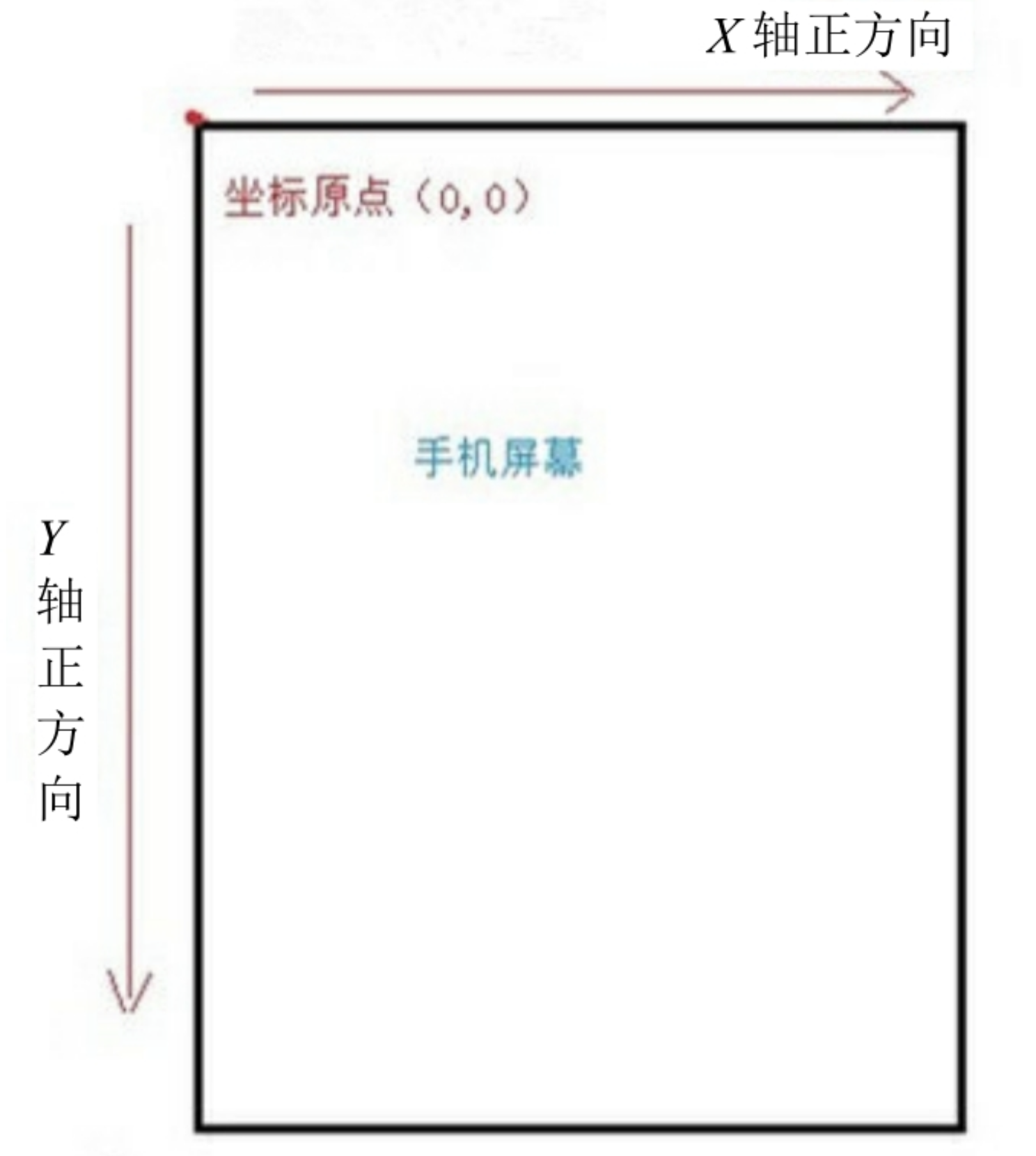
在Android中,将屏幕左上角的顶点作为Android坐标系的原点,这个原点向右是X轴正方向,向下是Y轴正方向
View坐标系
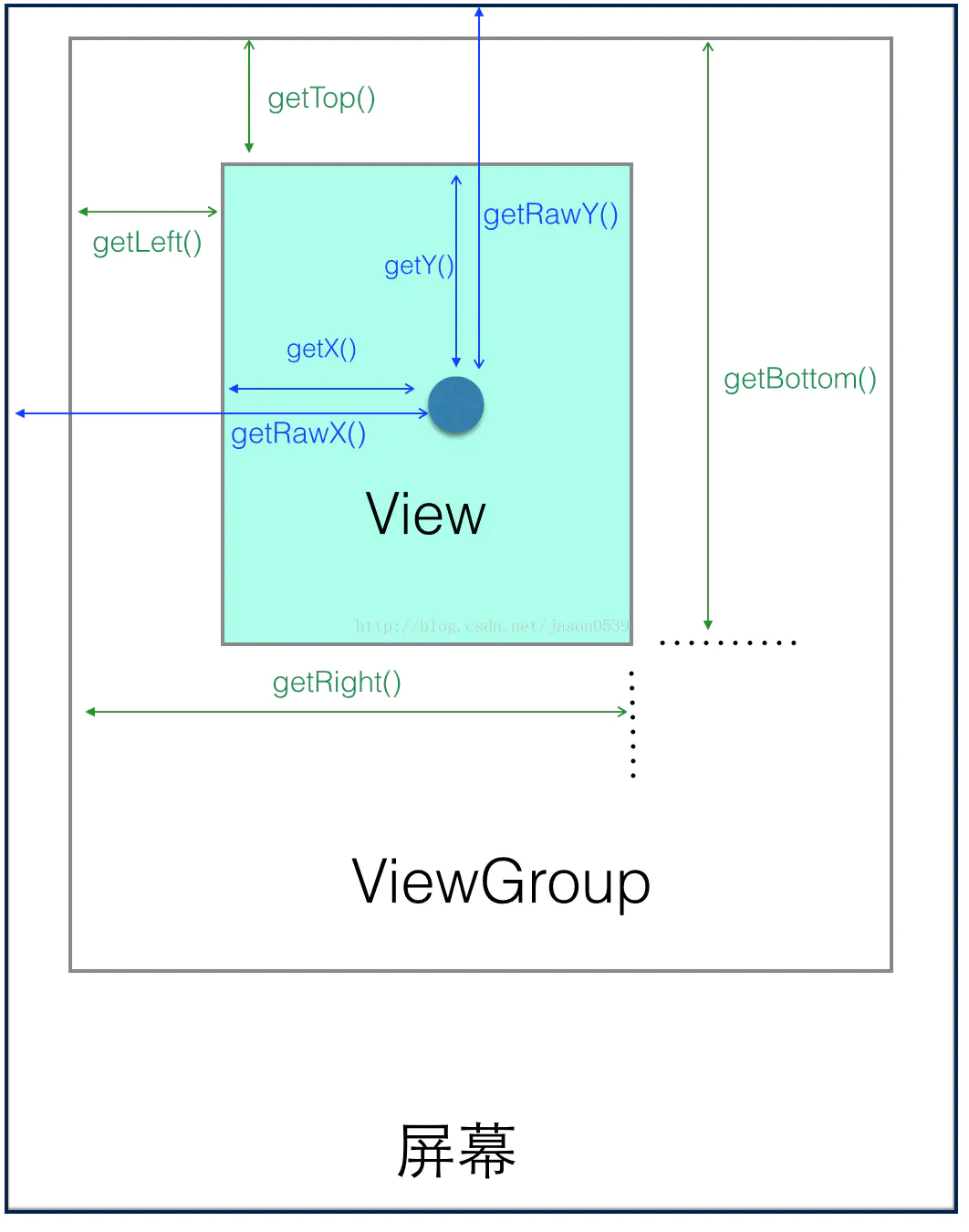
一个View的位置主要由它的四个顶点决定即左上角纵坐标(top)、左上角横坐标(left)、右下角横坐标(right)、右下角纵坐标(bottom)决定。这四个顶点坐标是基于View的父容器来说的,是一组相对坐标。
View的宽高
由图可知,一个View的宽度是 getRight() - getLeft();高度是 getBottom() - getTop()。
/**
 * Return the width of your view.
 *
 * @return The width of your view, in pixels.
 */
@ViewDebug.ExportedProperty(category = "layout")
public final int getWidth() {
    return mRight - mLeft;
}

/**
 * Return the height of your view.
 *
 * @return The height of your view, in pixels.
 */
@ViewDebug.ExportedProperty(category = "layout")
public final int getHeight() {
    return mBottom - mTop;
}
View自身坐标
通过如下方法可以获得View到其父控件(ViewGroup)的距离。
• getTop():获取View自身顶边到其父布局顶边的距离。
• getLeft():获取View自身左边到其父布局左边的距离。
• getRight():获取View自身右边到其父布局左边的距离。
• getBottom():获取View自身底边到其父布局顶边的距离。
MotionEvent的坐标
上图那个深蓝色的点,假设就是我们触摸的点,我们知道无论是View还是ViewGroup,最终的点击事件都会由onTouchEvent(MotionEvent event)方法来处理,MotionEvent也提供了各种获取焦点坐标的方法。
getX():获取点击事件距离控件左边的距离,即视图坐标getY():获取点击事件距离控件顶边的距离,即视图坐标getRawX():获取点击事件距离整个屏幕左边距离,即绝对坐标getRawY():获取点击事件距离整个屏幕顶边的的距离,即绝对坐标