Android View 动画框架#
Animation框架定义了透明度、旋转、缩放和位移几种常见的动面,而且控制的是整个view,实现原理是每次绘制视图时 View 所在的 ViewGroup 中的drawChild 函数获取该 View 的Animation 的 Transformation 值,然后调用 canvas.concat(transformToApply.getMatrix()),通过矩阵运算完成动画帧。如果动画没有完成,就继续调用 invalidate()函数,启动下次绘制來驱动动画,从而完成整个动画的绘制。——《Android群英传》
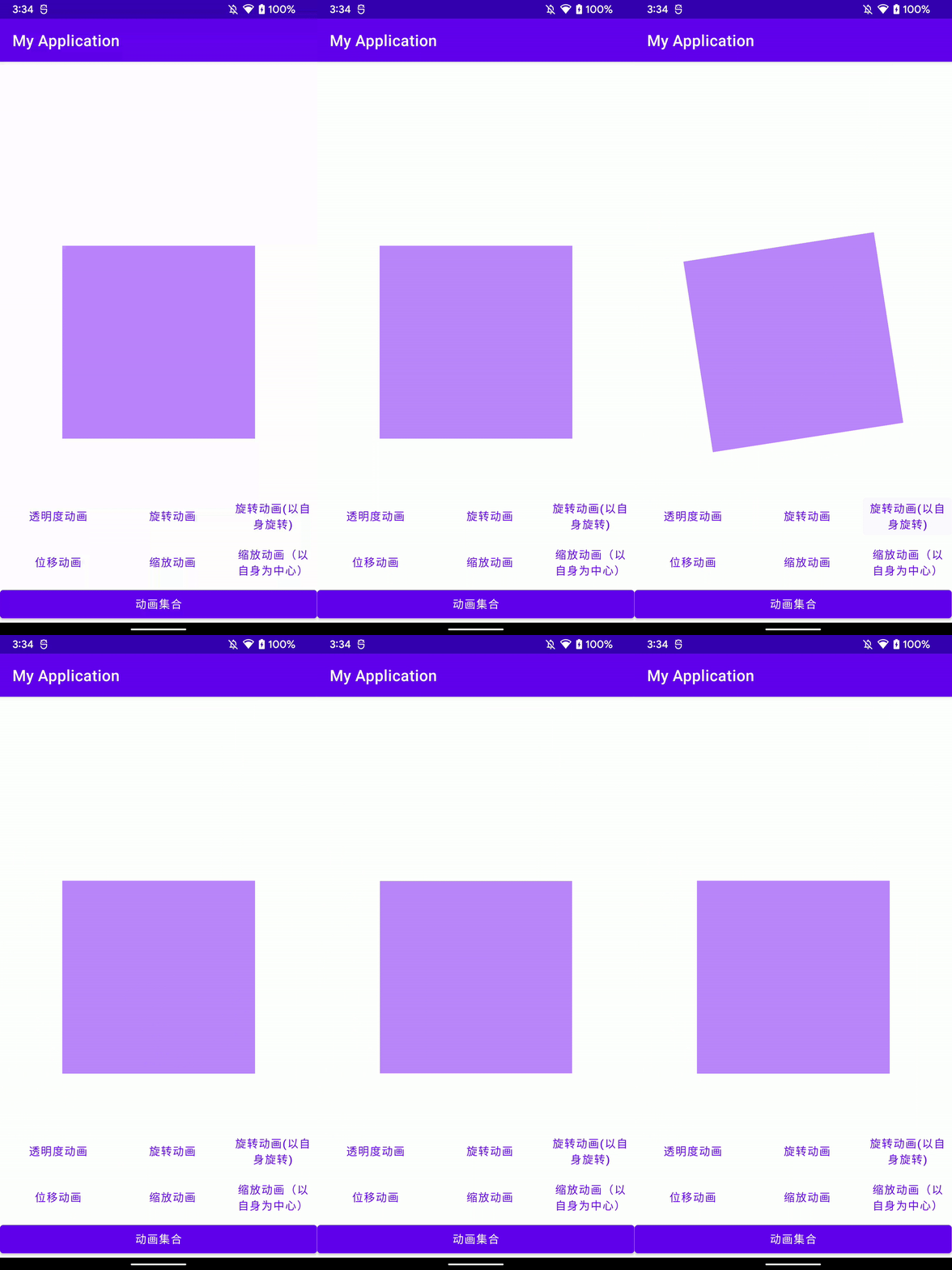
视图动画四种动画方式#
AlphaAnimation(透明度动画)#
- 为视图添加透明度的变换动画。
- 构建
AlphaAnimation2个参数| 属性 | 属性描述 |
|---|
fromAlpha | 开始的透明度 |
toAlpha | 结束的透明度 |
//透明度从0到1,时长1秒
private fun alphaAnimation(v: View) {
    with(AlphaAnimation(0F, 1F)) {
        duration = 1000
        v.startAnimation(this)
    }
}
RotateAnimation(旋转动画)#
- 为视图增加旋转的变换动画。
- 构建
RotateAnimation6个参数
| 属性 | 属性描述 |
|---|
fromDegrees | 旋转开始的角度 |
toDegrees | 旋转结束的角度 |
pivotXType | 旋转中心点X的类型:ABSOLUTE (默认)表示X值是View的绝对坐标;RELATIVE_TO_SELF表示X值是View宽度的百分比;RELATIVE_TO_PARENT表示X值是父布局宽度的百分比。 |
pivotXValue | 旋转中心点X的取值(默认为0)。如果 pivotXType 不是 ABSOLUTE,则取值范围是0.0到1.0。 |
pivotYType | 旋转中心点Y的类型:ABSOLUTE (默认)表示Y值是View的绝对坐标;RELATIVE_TO_SELF表示Y值是View高度的百分比;RELATIVE_TO_PARENT表示Y值是父布局高度的百分比。 |
pivotYValue | 旋转中心点Y的取值(默认为0)。如果 pivotYType 不是 ABSOLUTE,则取值范围是0.0到1.0。 |
//以View的(0,0)点为中心(即左上角),从0度旋转到360度,时长1秒。
private fun rotateAnimation(v: View) {
    with(RotateAnimation(0F, 360F, 0F, 0F)) {
        duration = 1000
        v.startAnimation(this)
    }
}
//以View的宽高一半的点为中心(即View正中心),从0度旋转到360度,时长1秒。
private fun rotateSelfAnimation(v: View) {
    with(
        RotateAnimation(
            0F,
            360F,
            RotateAnimation.RELATIVE_TO_SELF,
            0.5F,
            RotateAnimation.RELATIVE_TO_SELF,
            0.5F
        )
    ) {
        duration = 1000
        v.startAnimation(this)
    }
}
TranslateAnimation(位移动画)#
- 为视图移动时增加位移动画。
- 构建
TranslateAnimation的8个参数
| 属性 | 属性描述 |
|---|
fromXType | 移动前X的取值类型:ABSOLUTE (默认)表示View的绝对值;RELATIVE_TO_SELF表示View宽度的百分比;RELATIVE_TO_PARENT表示父布局宽度的百分比。 |
fromXValue | 移动前的X位置(如果fromXType不是ABSOLUTE,则取值范围是0.0到1.0)。 |
toXType | 移动后X的取值类型:ABSOLUTE (默认)表示View的绝对值;RELATIVE_TO_SELF表示View宽度的百分比;RELATIVE_TO_PARENT表示父布局宽度的百分比。 |
toXValue | 移动后的X位置(如果toXType不是ABSOLUTE,则取值范围是0.0到1.0)。 |
fromYType | 移动前Y的取值类型:ABSOLUTE (默认)表示View的绝对值;RELATIVE_TO_SELF表示View高度的百分比;RELATIVE_TO_PARENT表示父布局高度的百分比。 |
fromYValue | 移动前的Y位置(如果fromYType不是ABSOLUTE,则取值范围是0.0到1.0)。 |
toYType | 移动后Y的取值类型:ABSOLUTE (默认)表示View的绝对值;RELATIVE_TO_SELF表示View高度的百分比;RELATIVE_TO_PARENT表示父布局高度的百分比。 |
toYValue | 移动后的Y位置(如果toYType不是ABSOLUTE,则取值范围是0.0到1.0)。 |
//以View(0,0)点即左上角移到(200,300)的位置,时长1秒
private fun translateAnimation(v: View) {
    with(TranslateAnimation(0F, 200F, 0F, 300F)) {
        duration = 1000
        v.startAnimation(this)
    }
}
ScaleAnimation(缩放动画)#
- 为视图的缩放增加动画效果。
- 构建
ScaleAnimation的8个参数
| 属性 | 属性描述 |
|---|
fromX | 水平方向初始缩放比例。 |
toX | 水平方向结束缩放比例。 |
fromY | 垂直方向初始缩放比例。 |
toY | 垂直方向结束缩放比例。 |
pivotXType | 缩放中心点X的取值类型:ABSOLUTE (默认)表示View的绝对值;RELATIVE_TO_SELF表示View宽度的百分比;RELATIVE_TO_PARENT表示父布局宽度的百分比。 |
pivotXValue | 动画缩放中心点的X值(默认为0)。如果 pivotXType 不是ABSOLUTE,则取值范围是0.0到1.0。 |
pivotYType | 缩放中心点Y的取值类型:ABSOLUTE (默认)表示View的绝对值;RELATIVE_TO_SELF表示View高度的百分比;RELATIVE_TO_PARENT表示父布局高度的百分比。 |
pivotYValue | 动画缩放中心点的Y值(默认为0)。如果 pivotYValue 不是ABSOLUTE,则取值范围是0.0到1.0。 |
//以View(0,0)点即左上角从宽高为0缩放到原宽高的2倍,时长1秒
private fun scaleAnimation(v: View) {
    with(ScaleAnimation(0F, 2F, 0F, 2F)) {
        duration = 1000
        v.startAnimation(this)
    }
}

//以View的宽高一半的点为中心(即View正中心)从宽高为0缩放到原宽高的1倍,时长1秒
private fun scaleSelfAnimation(v: View) {
    with(
        ScaleAnimation(
            0F,
            1F,
            0F,
            1F,
            Animation.RELATIVE_TO_SELF,
            0.5F,
            Animation.RELATIVE_TO_SELF,
            0.5F
        )
    ) {
        duration = 1000
        v.startAnimation(this)
    }
}
AnimationSet(动画集合)#
- 通过AnimationSet可以将动画以组合的形式展现出来
- 构造
AnimationSet的1个参数- shareInterpolator 是否集合内的动画和AnimationSet公用一个插值器,否则每个动画各用回自己的插值器。
private fun animationSet(v: View) {
    val animationSet = AnimationSet(true).apply { duration = 1000 }
    val alpha = AlphaAnimation(0F, 1F).apply { duration = 1000 }
    animationSet.addAnimation(alpha)
    val translate = TranslateAnimation(0F, 100F, 0F, 200F).apply { duration = 1000 }
    animationSet.addAnimation(translate)
    v.startAnimation(animationSet)
}